Report Modes
Doclio offers two report modes that determine how data is displayed to viewers.
Live Reports
A Live report always shows the current state of your annotations. When someone opens the report link, they see the latest data:
- Status changes are reflected immediately
- New comments and attachments appear
- Best for ongoing projects where stakeholders need real-time visibility
Static Reports
A Static report captures a snapshot of your annotations at the moment the report is issued:
- Data is frozen — changes to annotations don't affect the report
- Ideal for formal submissions, milestone reports, and contractual documentation
- Creates a permanent record of the project state at that point in time
Updating a Static Report
A static report can be refreshed (re-snapshot the current data) or duplicated — a duplicate is created as a draft titled "(Copy)" and still needs to be issued. See Refreshing and Duplicating Reports.
Which Mode Should I Use?
| Use Case | Recommended Mode |
|---|---|
| Ongoing defect tracking dashboard | Live |
| Formal handover report | Static |
| Client progress update | Live |
| Milestone certification | Static |
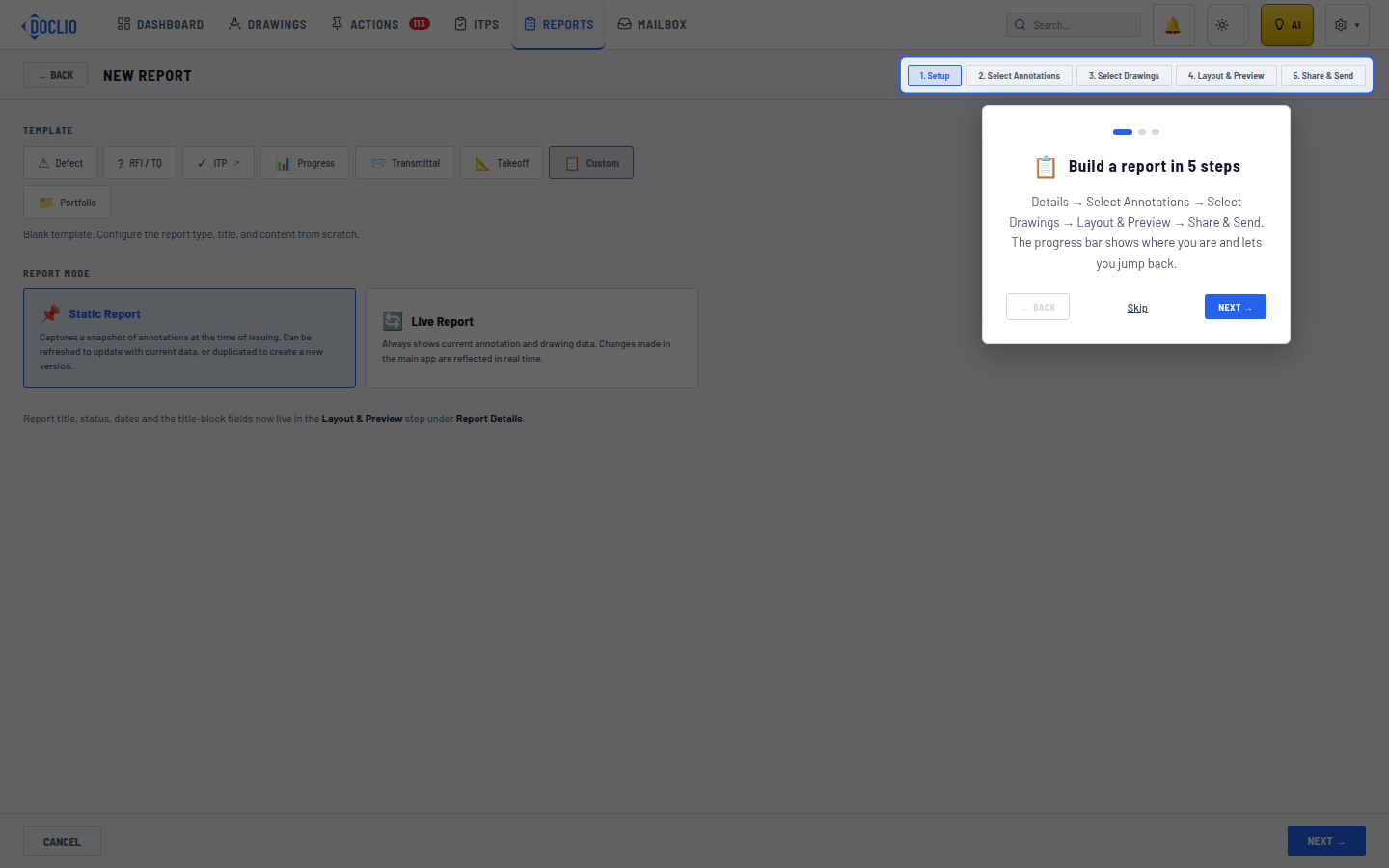
Static Report snapshots data at issue time; Live Report always shows current data