Assign Responsibility and Deadlines
Assigning actions to team members and setting due dates ensures accountability and helps track overdue actions.
Assigning to a Person
- Open the action detail panel
- Find the Assigned field
- Pick a project member from the dropdown, or type any email address
- You'll be asked whether to email them about the assignment now or skip the notification
- They'll see the action when they log in (if they have project access)
Setting a Due Date
- In the action detail panel, find Due Date
- Click to open the date picker
- Select a deadline
Overdue Tracking
When an action passes its due date without being completed:
- An OVERDUE badge appears in red
- The action is counted in the Overdue summary on the Dashboard
- You can filter the Actions view to show only overdue actions using the OVERDUE filter button
Bulk Editing
The Bulk Edit feature in the Actions view covers changing visibility and deleting actions only. Status, priority, and assignment are changed per action in its detail panel.
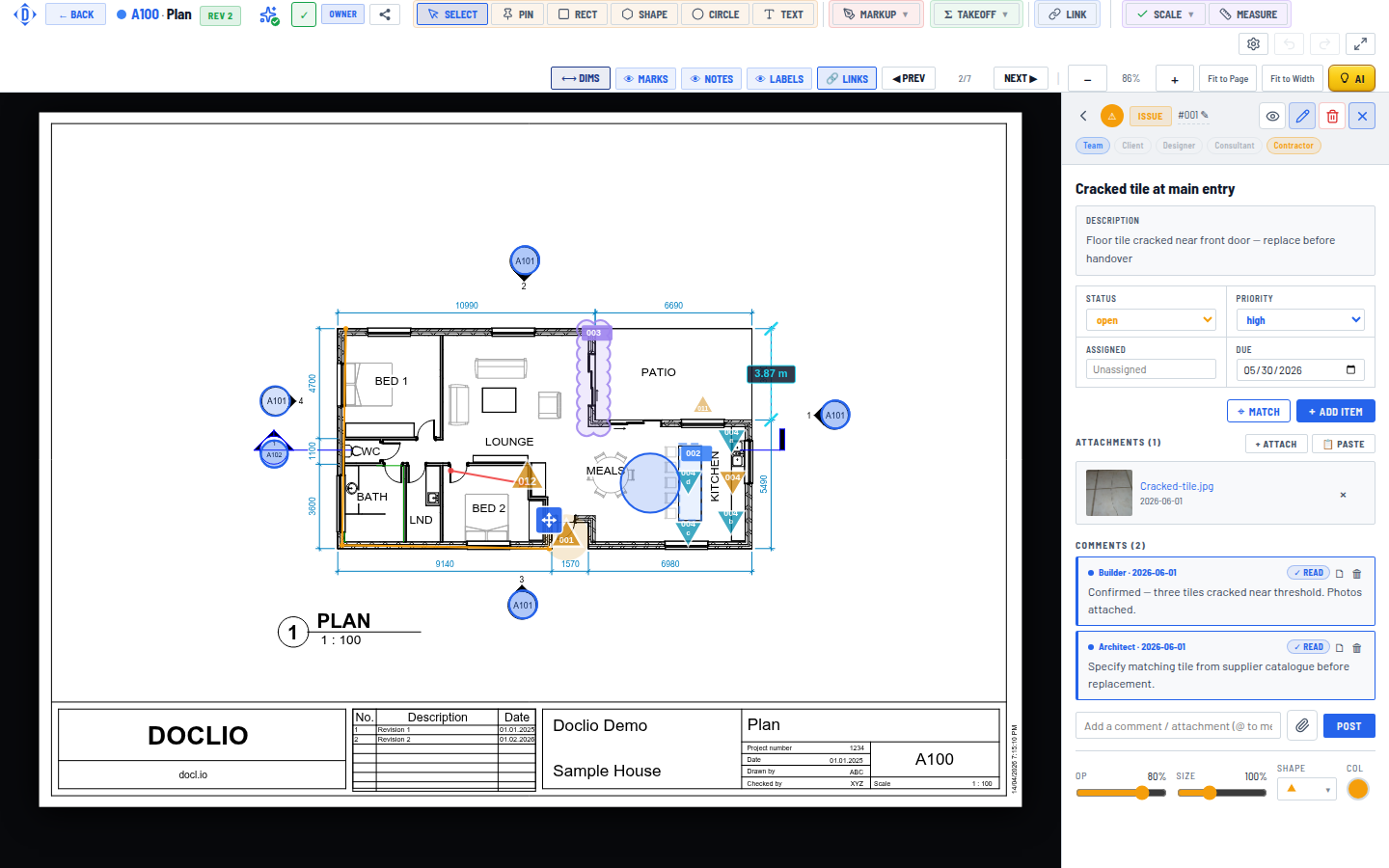
Assign a person and set a due date on any action